
A Deep Dive Into Gesture Locking, Nested Scrolling, and Directional Priority**
A CollectionView is often placed inside layouts that also scroll—either vertically or horizontally.
This creates a deceptively complex interaction problem:
MAUI must decide which scroller owns the gesture:
the CollectionView or its parent ScrollView.
When both want the same gesture, you see:
- Scroll stuttering
- Horizontal swipe blocking vertical movement
- Vertical scroll “dead zones”
- Flick gestures ignored
- Scroll direction switching mid-gesture
- Faster scroll movements being throttled
These are not random bugs—they are the natural result of MAUI’s internal gesture arbitration system.
In this article, we explore why this conflict happens and how to design templates that avoid scroll interference entirely.
Summary Card (TLDR)
Why Scroll & Swipe Gestures Conflict Inside .NET MAUI CollectionView
1. Scroll direction arbitration causes delays
MAUI waits to determine whether a gesture is vertical or horizontal.
If the user starts diagonally, both scrollers compete → scroll feels stuck or delayed.
2. Nested ScrollView + CollectionView creates gesture conflict
Vertical ScrollView and horizontal/vertical CollectionView fight for ownership.
This leads to stuttering, misfires, and inconsistent scroll momentum.
3. Interactive child controls block scroll initiation
Buttons, CheckBoxes, Entries, and other touch-enabled controls intercept taps
before scroll begins, causing “dead zones” where scrolling doesn’t start.
4. Virtualization reuses hit-test states
Recycled templates may retain stale gesture behavior, making some rows react differently than others.
5. Android’s touch slop + press delay magnify issues
Fast or light scroll attempts are often misinterpreted as tap or no gesture at all.
6. Reliable patterns exist
- Avoid nested ScrollViews
- Let only ONE control own the primary scroll axis
- Add padding to improve swipe recognition
- Mark non-interactive children as InputTransparent="True"
- Disable CollectionView scrolling when using page-level ScrollView
Core Principle:
Smooth scrolling is achieved by intentionally assigning gesture ownership.
Scroll conflict is not a bug—it’s competing gesture handlers fighting for control.
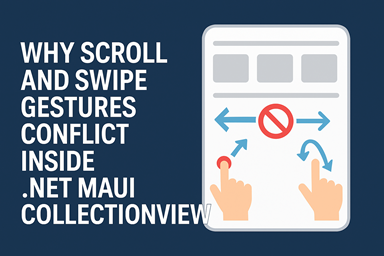
1. MAUI Uses Direction-Based Gesture Locking
When a touch begins, MAUI waits to see which direction the user intends to scroll.
- If the initial movement is vertical → vertical scroller gets priority
- If the initial movement is horizontal → horizontal scroller gets priority
- If movement is ambiguous → MAUI delays gesture classification → stutter occurs
This delay leads to the classic symptom:
The first 50–120 ms of scrolling feel unresponsive.
This is especially common when:
- A horizontal CollectionView is inside a vertical ScrollView
- Or vice-versa
- Templates have nested Grids that consume hit tests
- The scroll area is filled with interactive elements (Buttons, CheckBoxes)
2. Scroll Conflict Example: Horizontal CollectionView Inside Vertical Page
Consider:
<CollectionView ItemsLayout="HorizontalList" />
</ScrollView>
Now the rules collide:
- ScrollView wants vertical scroll
- CollectionView wants horizontal scroll
MAUI observes the user's first finger movement:
▸ If the finger moves slightly diagonally
Both scrollers “think” they should handle it.
Result:
- Scroll jitter
- Missed swipe
- Delayed start
- Sudden direction switching
This is the #1 reason horizontal swipes feel “sticky” inside vertical pages.
3. Nested ScrollView + CollectionView Amplifies the Issue
If your page structure looks like this:
<VerticalStackLayout>
<CollectionView />
<CollectionView />
</VerticalStackLayout>
</ScrollView>
During fast scrolling:
- The ScrollView fights for the gesture
- Each CollectionView row also wants scrolling
- BindingContext updates + virtualization occur simultaneously
This creates:
- Flicks that stop abruptly
- Scroll that moves in small increments
- Inconsistent inertial momentum (fling behavior)
- Occasional “tap instead of scroll” misfires
4. Child Controls Can Interfere With Scroll Gesture Recognition
Controls inside the CollectionView (e.g., CheckBox, Button, Entry) have their own gesture processing.
If the user touches one of these:
- Scroll is temporarily blocked
- Gesture is intercepted
- ScrollView must wait for additional movement to take control
This explains the annoying behavior:
Scrolling fails if you start on a CheckBox or Button.
It’s not a CollectionView bug.
It’s correct gesture ownership.
5. Why Scroll Feels Better on iOS Than Android
iOS:
- More aggressive scroll prediction
- Immediate capture of dominant direction
- Higher tolerance for micro-movement during taps
- More refined inertial scroll system
Android:
- Requires clearer directional intent
- Small diagonal motion → ambiguous
- Higher touch slop threshold
- Scroll handoff takes longer
MAUI inherits these platform differences.
6. Solutions: Designing Scroll-Friendly CollectionView Layouts
Below are stable patterns used in production apps.
✔ Pattern 1 — Avoid Nested Scroll Views Whenever Possible
Do not wrap CollectionView in a ScrollView
unless you must.
If you need both scrolling directions, use:
instead of wrapping it inside ScrollView.
✔ Pattern 2 — Make Only One Scroll Component Dominant
Example: Page scroll should dominate.
HeightRequest="500"
ItemsLayout="VerticalList"
IsScrollEnabled="False" />
This ensures:
- Page scroll is fluid
- Items do not fight for scroll ownership
✔ Pattern 3 — Increase Gesture Hit Area for Horizontal Scrollers
Horizontal lists often fail to detect swipes because the starting hit area is too small.
You can fix this by adding vertical padding:
ItemsLayout="HorizontalList"
Padding="0,20" />
This increases the space where horizontal movement is interpreted correctly.
✔ Pattern 4 — Don’t Start Scrolls on Interactive Controls
If your row contains CheckBoxes or Buttons:
for surrounding labels, frames, or layout elements.
This keeps scroll initiation clean.
✔ Pattern 5 — Explicitly Disable Scroll on One Component
If your layout contains both a vertical ScrollView and a horizontal CollectionView:
Let the CollectionView handle horizontal only:
7. Expert-Level Rule Set
✔ Rule 1
Only ONE component should handle the dominant scroll axis.
✔ Rule 2
Interactive children must not intercept scroll gestures unless intentionally designed.
✔ Rule 3
Nested scroll containers must be avoided or rewritten.
✔ Rule 4
Design layouts around gesture ownership—MAUI does not arbitrate well for you.
✔ Rule 5
Diagonal movement always creates ambiguity → design your UI to reduce diagonal starts.
Final Expert Takeaway
Nearly all scroll conflicts in MAUI’s CollectionView originate from:
- Competing gesture recognizers
- Nested scroll containers
- Ambiguous directional movement
- Interactive elements blocking scroll start
- Virtualized templates reusing hit-test states
Once you design the UI with gesture ownership as a primary principle,
scroll behavior becomes predictable, smooth, and professional.
Smooth scrolling is not accidental —
it is an intentional design of gesture priority and container responsibility.