
Understanding BindingContext Reassignment and Recycled Visual Trees in .NET MAUI**
One of the most confusing issues developers encounter in .NET MAUI CollectionView is this:
- The Button.CommandParameter is wrong
- The Command executes for a different item
- The BindingContext inside the DataTemplate is not what you expect
- Commands fire with null or with stale values
- Commands work only sometimes—usually after scrolling
- Buttons inside the CollectionView appear to trigger actions for another row
If any of this sounds familiar, you’re seeing the effect of MAUI’s recyclable item containers, BindingContext switching, and delayed virtualization updates.
This article explains why CommandParameter breaks and the correct patterns for making commands reliable inside CollectionView.
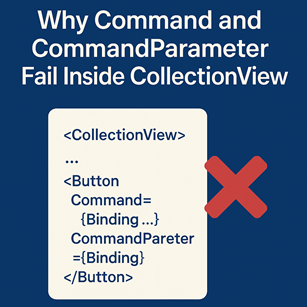
Summary Card (TLDR)
Why Command & CommandParameter Fail Inside CollectionView
1. BindingContext changes during virtualization
CollectionView recycles DataTemplates, so controls (Button, CheckBox, etc.) may reference stale BindingContexts, causing CommandParameter to point to the wrong item.
2. CommandParameter evaluates before BindingContext stabilizes
If a recycled cell hasn’t fully rebound yet, commands fire with old or null data.
3. DataTemplate event handlers persist across recycled cells
Clicked handlers stack and fire with incorrect BindingContexts unless explicitly detached.
4. Commands should NOT live inside the item template
Commands tied to recycled DataTemplates become unreliable.
Commands belong in the parent ViewModel, which does not recycle.
5. Always pass the item itself as the parameter
Use:
This ensures the item is passed correctly whenever the command fires.
6. When using events, you MUST detach before re-attaching
Because recycled Buttons reuse the same instance, failing to detach events causes duplicated executions.
Core Principle:
DataTemplates are temporary.
Your ViewModel is permanent.
Commands must live where state is stable, not where the UI recycles.
1. The Core Issue: BindingContext Is Reassigned During Virtualization
In a virtualized CollectionView:
- Cells (templates) are reused as you scroll
- The same Button, Grid, or StackLayout may represent item A, then item B
- BindingContext changes rapidly and repeatedly
- CommandParameter is computed before the BindingContext stabilizes
This sequence causes:
- Commands receiving the wrong item
- Commands updating the wrong model
- Commands firing with stale parameters
And this is why sometimes things "fix themselves" once you scroll:
scrolling triggers a forced re-bind.
2. Why CommandParameter = {Binding} Often Fails
Developers often write:
Command="{Binding Source={RelativeSource AncestorType={x:Type local:MainPage}}, Path=BindingContext.DeleteCommand}"
CommandParameter="{Binding}" />
It looks correct,
but here is the internal timeline:
- UI element triggers CommandParameter evaluation
- BindingContext has not yet been updated to the recycled row
- CommandParameter still references the old data item
- Command fires with the wrong parameter
This is why the command may refer to item A even though the button is in item B’s row.
3. Event Handlers Make It Worse (Because They Persist Across Recycled Cells)
When a developer adds:
This becomes dangerous.
Because:
- The same Button instance is reused
- Event handlers remain attached
- The BindingContext referenced inside the event is stale
- Multiple handlers may stack up after repeated recycling
- Clicked fires for items that are no longer displayed
This creates extremely unpredictable behavior.
4. The Correct Fix: Bind Command Through the Parent ViewModel, Not the Cell
Instead of binding the command inside the DataTemplate to its own BindingContext,
bind it to the parent ViewModel, and pass the correct item explicitly.
Example:
Command="{Binding Source={RelativeSource AncestorType={x:Type local:MainPage}}, Path=BindingContext.DeleteCommand}"
CommandParameter="{Binding .}" />
This ensures:
- Command lives at a stable, non-recycled level
- Parameter always comes from the template's BindingContext
- Even if the template is recycled, the BindingContext is current at tap time
5. Use x:Reference for Maximum Reliability
A more explicit method:
Command="{Binding DeleteCommand, Source={x:Reference MainPageVM}}"
CommandParameter="{Binding}" />
This removes ambiguity about where the command exists.
6. When You MUST Handle Events in Code-Behind (Rare Cases)
If you absolutely must:
You need to detach stale handlers during template reuse.
{
var button = (Button)sender;
button.Clicked -= OnClicked;
button.Clicked += OnClicked;
}
This ensures:
- Only one handler exists
- BindingContext is correct at time of execution
Still, MVVM commands are far more reliable for virtualized lists.
7. The Safest Pattern for Commands Inside CollectionView
✔ Always place your actual Command on the parent ViewModel
Templates recycle, parent VM does not.
✔ Pass the current item as the CommandParameter
This ensures the command always receives the correct row’s data.
✔ Never rely on code-behind events inside DataTemplates
Unless you fully understand recycling, this leads to stacked events.
✔ Avoid binding Command directly to the item’s own methods
If the item is replaced or recreated, commands break silently.
8. Bulletproof Example (Production-Ready)
XAML
<CollectionView.ItemTemplate>
<DataTemplate>
<Grid Padding="8">
<Label Text="{Binding Title}" />
<Button Text="Delete"
HorizontalOptions="End"
Command="{Binding BindingContext.DeleteCommand,
Source={RelativeSource AncestorType={x:Type local:MainPage}}}"
CommandParameter="{Binding}" />
</Grid>
</DataTemplate>
</CollectionView.ItemTemplate>
</CollectionView>
ViewModel
{
Items.Remove(item);
});
This pattern is 100% stable under:
- Fast scrolling
- Virtualization
- Add/remove operations
- Item replacement
- Gesture competition
- Multi-binding environments
9. Final Expert Takeaway
Most “CommandParameter issues in CollectionView” are not bugs.
They stem from this fundamental truth:
DataTemplates are temporary.
Your ViewModel is permanent.
Commands must live in the permanent layer.
If your commands live outside the recycled template—
and the parameter is always the BindingContext of the cell—
you will never experience mismatched commands again.